6 Ekim 2018

HQ Privacy Policy


Privacy Policy

Effective date: October 06, 2018
HQ Library ("us", "we", or "our") operates the
http://hqlibrary.blogspot.com website (the "Service")..

This page informs you of our policies regarding the collection, use, and disclosure of personal data when you use our Service and the choices you have associated with that data. Our Privacy Policy for HQ Library is managed through Free Privacy Policy.

We use your data to provide and improve the Service. By using the Service, you agree to the collection and use of information in accordance with this policy. Unless otherwise defined in this Privacy Policy, terms used in this Privacy Policy have the same meanings as in our Terms and Conditions, accessible from http://hqlibrary.blogspot.com

Information Collection And Use

We collect several different types of information for various purposes to provide and improve our Service to you.

Types of Data Collected

Personal Data

While using our Service, we may ask you to provide us with certain personally identifiable information that can be used to contact or identify you ("Personal Data"). Personally identifiable information may include, but is not limited to:
  • Cookies and Usage Data

Usage Data

We may also collect information how the Service is accessed and used ("Usage Data"). This Usage Data may include information such as your computer's Internet Protocol address (e.g. IP address), browser type, browser version, the pages of our Service that you visit, the time and date of your visit, the time spent on those pages, unique device identifiers and other diagnostic data.

Tracking & Cookies Data

We use cookies and similar tracking technologies to track the activity on our Service and hold certain information.
Cookies are files with small amount of data which may include an anonymous unique identifier. Cookies are sent to your browser from a website and stored on your device. Tracking technologies also used are beacons, tags, and scripts to collect and track information and to improve and analyze our Service.
You can instruct your browser to refuse all cookies or to indicate when a cookie is being sent. However, if you do not accept cookies, you may not be able to use some portions of our Service.
Examples of Cookies we use:
  • Session Cookies. We use Session Cookies to operate our Service.
  • Preference Cookies. We use Preference Cookies to remember your preferences and various settings.
  • Security Cookies. We use Security Cookies for security purposes.

Use of Data

HQ Library uses the collected data for various purposes:
  • To provide and maintain the Service
  • To notify you about changes to our Service
  • To allow you to participate in interactive features of our Service when you choose to do so
  • To provide customer care and support
  • To provide analysis or valuable information so that we can improve the Service
  • To monitor the usage of the Service
  • To detect, prevent and address technical issues

Transfer Of Data

Your information, including Personal Data, may be transferred to — and maintained on — computers located outside of your state, province, country or other governmental jurisdiction where the data protection laws may differ than those from your jurisdiction.
If you are located outside Turkey and choose to provide information to us, please note that we transfer the data, including Personal Data, to Turkey and process it there.
Your consent to this Privacy Policy followed by your submission of such information represents your agreement to that transfer.
HQ Library will take all steps reasonably necessary to ensure that your data is treated securely and in accordance with this Privacy Policy and no transfer of your Personal Data will take place to an organization or a country unless there are adequate controls in place including the security of your data and other personal information.

Disclosure Of Data

Legal Requirements

HQ Library may disclose your Personal Data in the good faith belief that such action is necessary to:
  • To comply with a legal obligation
  • To protect and defend the rights or property of HQ Library
  • To prevent or investigate possible wrongdoing in connection with the Service
  • To protect the personal safety of users of the Service or the public
  • To protect against legal liability

Security Of Data

The security of your data is important to us, but remember that no method of transmission over the Internet, or method of electronic storage is 100% secure. While we strive to use commercially acceptable means to protect your Personal Data, we cannot guarantee its absolute security.

Service Providers

We may employ third party companies and individuals to facilitate our Service ("Service Providers"), to provide the Service on our behalf, to perform Service-related services or to assist us in analyzing how our Service is used.
These third parties have access to your Personal Data only to perform these tasks on our behalf and are obligated not to disclose or use it for any other purpose.

Analytics

We may use third-party Service Providers to monitor and analyze the use of our Service.
  • Google Analytics
    Google Analytics is a web analytics service offered by Google that tracks and reports website traffic. Google uses the data collected to track and monitor the use of our Service. This data is shared with other Google services. Google may use the collected data to contextualize and personalize the ads of its own advertising network.
    You can opt-out of having made your activity on the Service available to Google Analytics by installing the Google Analytics opt-out browser add-on. The add-on prevents the Google Analytics JavaScript (ga.js, analytics.js, and dc.js) from sharing information with Google Analytics about visits activity.
    For more information on the privacy practices of Google, please visit the Google Privacy & Terms web page: https://policies.google.com/privacy?hl=en

Links To Other Sites

Our Service may contain links to other sites that are not operated by us. If you click on a third party link, you will be directed to that third party's site. We strongly advise you to review the Privacy Policy of every site you visit.
We have no control over and assume no responsibility for the content, privacy policies or practices of any third party sites or services.

Children's Privacy

Our Service does not address anyone under the age of 18 ("Children").
We do not knowingly collect personally identifiable information from anyone under the age of 18. If you are a parent or guardian and you are aware that your Children has provided us with Personal Data, please contact us. If we become aware that we have collected Personal Data from children without verification of parental consent, we take steps to remove that information from our servers.

Changes To This Privacy Policy

We may update our Privacy Policy from time to time. We will notify you of any changes by posting the new Privacy Policy on this page.
We will let you know via email and/or a prominent notice on our Service, prior to the change becoming effective and update the "effective date" at the top of this Privacy Policy.
You are advised to review this Privacy Policy periodically for any changes. Changes to this Privacy Policy are effective when they are posted on this page.

Contact Us

If you have any questions about this Privacy Policy, please contact us:

27 Eylül 2018

HQ Library

 
HQ Library web sitesine hoşgeldiniz !


Hq Library Autocad için oluşturulan eklenti bir yazılımdır. Autolisp programlama dili ile oluşturulmuştur, ayrıca çeşitli mühendislik hesaplamalarının yapılmasını sağlayan exel sayfaları içerir.

Yabancı dil desteği sağlanarak (Türkçe ve İngilizce) Sourceforge.net web sitesinde kullanıma sunulmuştur.


Hq Library


Hq Library kullanım ihtiyaçları :

1) Autocad programı
2) Exel programı  (örneğin M.Office paketi)
3) Pdf görüntüleyici  (örneğin Adobe reader)

 HQ Library exel


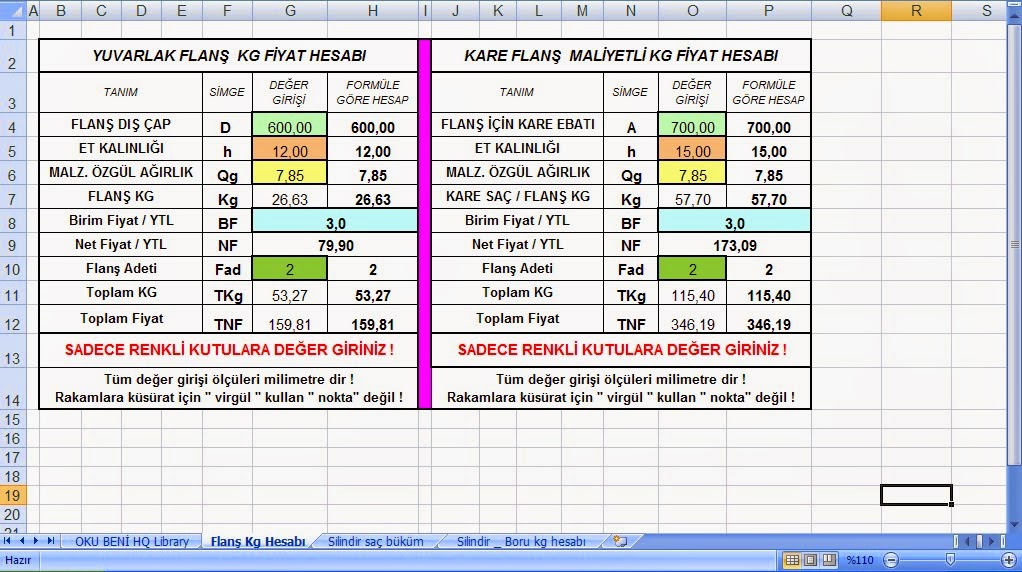
Hq Library yazılımı birçok işlevsel komutlar içerir, bazı mühendislik hesaplamalarını exel sayfalarında yapılabilmektir, ayrıca çeşitli teknik bilgi ölçü tabloları vardır exel dökümanlarında..


 HQ library kullanıcı kılavuzu


Hq Library birden fazla dil desteği sağlar. Türkçe ve İngilizce dillerini desteklemektedir.
Seçilen dil grubuna göre Autocad ekranındaki yazılar ilgili dil lisanına göre gözükür.
( Hq Library v.0.3 yeni versiyonu için dil desteği artırılmıştır, planlanılan 5
farklı dili desteklemesidir..
)


Hq Library language selections

Hq Library kurulum

Hq Library kullanıcı klavuzlarına bakmayı ihmal etmeyiniz. :-)


Download etmek için    buraya tıkla !

HQ-Disclaimer


Disclaimer

Last updated: September 27, 2018

The information contained on http://hqlibrary.blogspot.com website (the "Service") is for general information purposes only.

HQ Library assumes no responsibility for errors or omissions in the contents on the Service.
In no event shall HQ Library be liable for any special, direct, indirect, consequential, or incidental damages or any damages whatsoever, whether in an action of contract, negligence or other tort, arising out of or in connection with the use of the Service or the contents of the Service.

HQ Library reserves the right to make additions, deletions, or modification to the contents on the Service at any time without prior notice.

This Disclaimer for HQ Library is managed by TermsFeed Disclaimer Generator.
HQ Library does not warrant that the website is free of viruses or other harmful components.

Autolisp ders no 7


 Autolisp


Şimdiye kadar yayınlanan Autolisp derslerinde çizgi , daire , yay çizmeyi öğrenmiştik. Bu dersimizde farklı olarak birden fazla çizim objesini çizmeyi öğreneceğiz. Birden fazla çizim objesi demek biraz karmaşık bir çizim demek.

Bu tip çizim tipi için uygulamamız gereken yöntem osmode deyişkenini açıp kapatmaktır. Eğer bunu yapmazsak, oluşturulan Autolisp programı yanlış çizim yapabiliyor ara sıra.. Autocad saçmalamaya başladı, yanlış çizim yapıyor dersiniz sonra. :-)


; Çizgi çizme lispi

(defun c:lineciz2 ()
(setq oldsnap (getvar "osmode"))
(setvar "osmode" 0)
(setq  pt1 (getpoint "\n İlk nokta için ekrana tıkla ?! :"))
(setq  pt2 (getpoint "\n İkinci nokta için ekrana tıkla ?! :"))
(setq  pt3 (getpoint "\n İlk nokta için ekrana tıkla ?! :"))
(command "line"  pt1  pt2 "")
(command "line"  pt2  pt3 "")
(command "line"  pt3  pt1 "")
(setvar "osmode" oldsnap)
(princ)
)

(Princ "Lisp'i çalıştırmak için  > lineciz1 < yazınız! [http://hqlibrary.blogspot.com] ")


Program hakkında açıklamalar :

1) İlk satırda bulunan c: sonrasındaki ifade komut ismidir.Yani buradaki komut ismi lineciz2 olarak belirlendi.

2) Getvar komutu ile osmode deyişkenin güncel değerini öğrendik. Bu değeri de setq komutuyla oldsnap deyişkenine atadık. Setvar komutunu kullanarak osnap değerini sıfırladık. En son yazdığımız bu program bitmeden önce osnap değerini tekrar eski haline getirmemiz gerekiyor.


3) Setq komutu ile ard arda üç tane deyişken tanımladık. Bu deyişken için isim olarak pt1, pt2, pt3 dedik. Pt1 demek point1 demek, yani 1 nolu kordinat noktası demek. Pt2 demek 2 nolu kordinat noktası demek.

4) Getpoint komutu ile kullanıcıdan ekrana tıklamasını istedik. Ekrana tıklanıldığında belli bir kordinat noktasını setq komutu ile pt1 deyişkenine tanımladık.

5) Bizlerin kordinat dediği şey aslında x,y,z kordinatı. Çizgi çizdirmek için ekranda birkaç noktaya tıklamak gerekiyor. Bu programda bunu gerçekleştirdik.

5) Command komutunu kullanarak çizgi çizme işini gerçekleştirdik. Daha önceki derslerden farklı olarak birden fazla çizgiyi çizdirmiş oluyoruz. 

6) Autolisp programı bitmeden önce osmode'yi eski haline çevirmek için setvar komutu kullandık. Programın başlangıcında osmode değerini setq komutu ile oldsnap deyişkenine kaydetmiştik.

7) Princ komutunu kullandık.


Sormak istediğiniz bir soru var mı ?

Bir önceki ders için tıkla ( 6 nolu ders)


26 Eylül 2018

Sponsor

HQ Library için sponsor olmak istermisiniz ?


HQ Library için varsayılan download adresi Sourceforge.net web sitesidir. HQ Library açık kaynak kodlu bir yazılım olduğu için bu web sitesinde Autocad kullanıcılarına sunulmuştur.

HQ Library yazılımı Sourceforge.net dışında başka web sitelerde de download edilmesi mümkündür. Download linki verilmiştir ilgili web site sahipleri tarafından..


Bazı başka web siteleri de vardır ki.. Her gördüğü yazıyı olduğu gibi copy paste yapanlar !  :-)

Şüphesiz olarak HQ Library yazılımı birçok kişiye, daha fazla kullanıcıya ulaşım imkanı sağlanmıştır. Fakat bazı web siteleri v.0.3 yeni versiyon için sponsor olarak belirlenecektir.

HQ Library yazılımında bu web siteleri için bir tanıtım yazısı , web site url adresi verilecektir.

Sponsurluk anlayışı her iki tarafın birbirine destek olması / sponsor olamasıdır.


İletişim : Mesaj göndermek için bu yazıya tıkla !

25 Eylül 2018

Autolisp ders no 6

Autolisp


Şimdiye kadar yayınlanan Autolisp derslerinde çizgi , daire , yay çizmeyi öğrenmiştik. Bu dersimizde farklı olarak birden fazla çizim objesini çizmeyi öğreneceğiz. Birden fazla çizim objesi demek biraz karmaşık bir çizim demek.

Bu tip çizim tipi için uygulamamız gereken yöntem osmode açıp kapatmak Autolisp programı içinde. Eğer bunu yapmazsak oluşturulan Autolisp programı yanlış çizim yapabiliyor ara sıra, yada Autocad saçmalamaya başladı, yanlış çizim yapıyor dersiniz. :-)


; Çizgi çizme lispi

(defun c:lineciz1 ()
(setq oldsnap (getvar "osmode"))
(setvar "osmode" 0)
(setq  pt1 (getpoint "\n İlk nokta için ekrana tıkla ?! :"))
(setq  pt2 (getpoint "\n İkinci nokta için ekrana tıkla ?! :"))
(setq  pt3 (getpoint "\n İlk nokta için ekrana tıkla ?! :"))
(command "line"  pt1  pt2 "")
(command "line"  pt2  pt3 "")
(command "line"  pt3  pt1 "")
(setvar "osmode" oldsnap)
(princ)
)

(Princ "Lisp'i çalıştırmak için  > lineciz1 < yazınız! [http://hqlibrary.blogspot.com] ")


Program hakkında açıklamalar :

1) İlk satırda bulunan c: sonrasındaki ifade komut ismidir.Yani buradaki komut ismi lineciz1 olarak belirlendi.

2) Getvar komutu ile osmode deyişkenin güncel değerini öğrendik. Bu değeri de setq komutuyla oldsnap deyişkenine atadık. Setvar komutunu kullanarak osnap değerini sıfırladık. En son yazdığımız bu program bitmeden önce osnap değerini tekrar eski haline getirmemiz gerekiyor.


3) Setq komutu ile ard arda üç tane deyişken tanımladık. Bu deyişken için isim olarak pt1, pt2, pt3 dedik. Pt1 demek point1 demek, yani 1 nolu kordinat noktası demek. Pt2 demek 2 nolu kordinat noktası demek.

4) Getpoint komutu ile kullanıcıdan ekrana tıklamasını istedik. Ekrana tıklanıldığında belli bir kordinat noktasını setq komutu ile pt1 deyişkenine tanımladık.

5) Bizlerin kordinat dediği şey aslında x,y,z kordinatı. Çizgi çizdirmek için ekranda birkaç noktaya tıklamak gerekiyor. Bu programda bunu gerçekleştirdik.

5) Command komutunu kullanarak çizgi çizme işini gerçekleştirdik. Daha önceki derslerden farklı olarak birden fazla çizgiyi çizdirmiş oluyoruz. 

6) Autolisp programı bitmeden önce osmode'yi eski haline çevirmek için setvar komutu kullandık. Programın başlangıcında osmode değerini setq komutu ile oldsnap deyişkenine kaydetmiştik.

7) Princ komutunu kullandık.


Sormak istediğiniz bir soru var mı ? (Mesaj göndermek için tıkla)


Bir önceki 5 nolu dersi gördünü mü ?